
Website vs Web Application: What Is the Real Difference in 2026?
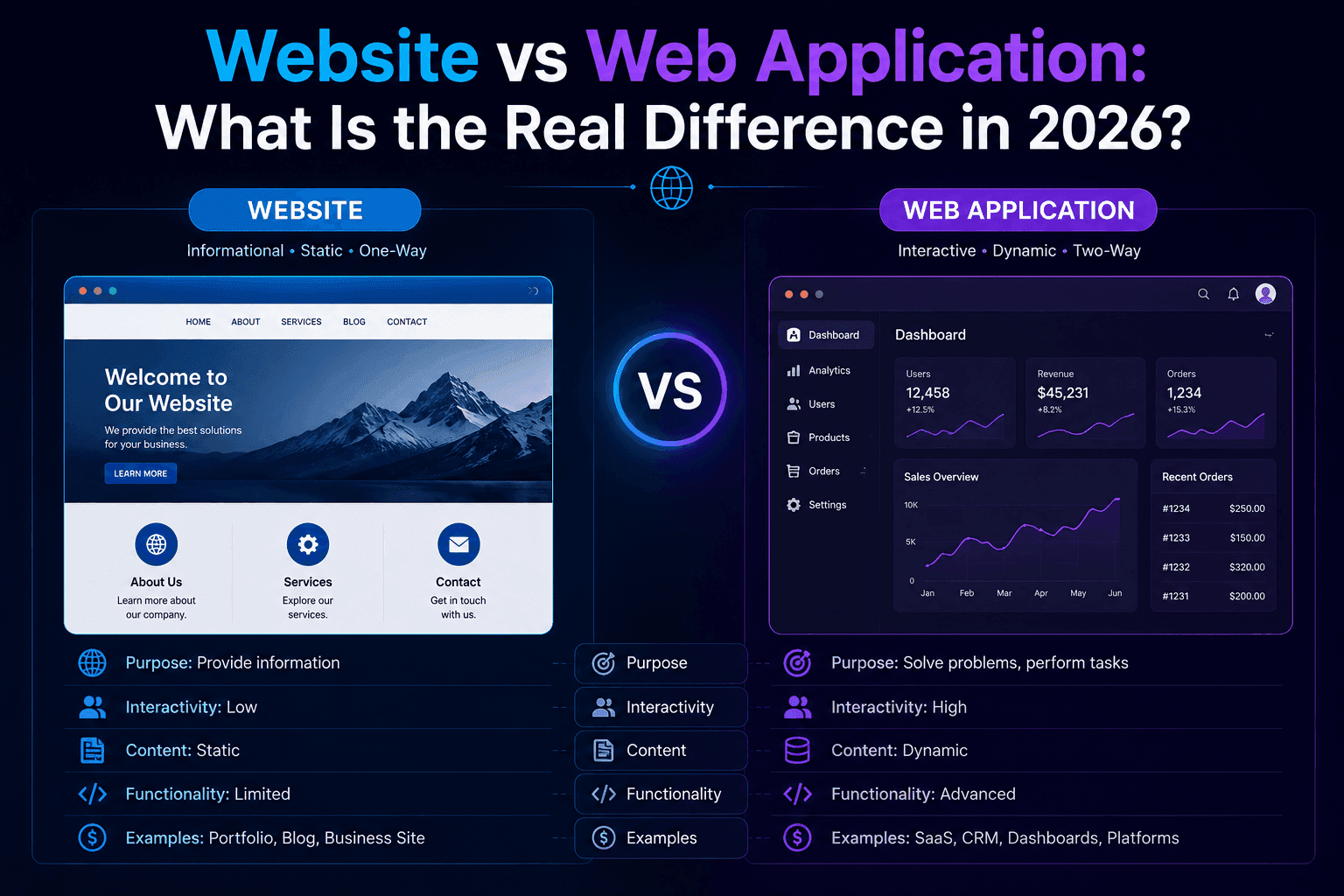
A website presents information to visitors — pages, content, contact forms — and every visitor sees essentially the same thing. A web application runs logic for logged-in users — accounts, dashboards, data that changes per user, actions that write back to a database. The dividing question: does the product mainly display content, or does it run software behind a login? Websites cost $5,000-30,000 and take 2-6 weeks; web applications cost $30,000-150,000+ and take 8-20+ weeks, because they are software products, not pages. A progressive web app (PWA) sits in between — a website with app-like offline and installable behavior, but usually without full backend state per user.
A website is a collection of pages designed primarily to inform or persuade — marketing sites, portfolios, blogs, brochure sites — where the same content renders for every visitor. A web application is software delivered through a browser that lets users create accounts, store personal data, and perform actions that change state — dashboards, SaaS products, marketplaces, booking systems, internal tools. The line is not about how modern the code looks or which framework built it; a static site can use the newest JavaScript framework and still be a website, and a web application can look visually plain and still be genuinely complex software underneath.
Commercial Expertise
Need help with Web Development?
Ortem deploys dedicated High-Performance Web squads in 72 hours.
Next Best Reads
Continue your research on Web Development
These links are chosen to move readers from general education into service understanding, proof, and buying-context pages.
Web Application Development
Map this topic to platform architecture, frontend performance, and scalable web delivery.
See web serviceNext.js Development
Go deeper if your search intent is specifically around React SSR, performance, and enterprise Next.js delivery.
View Next.js serviceWeb Platform Case Study
See how a large-scale marketplace platform was built and structured for operational growth.
Read case study"We just need a website" and "we need a web app" get used interchangeably in early conversations, and the mix-up is expensive in both directions — a founder who needed a login-driven platform gets a five-page brochure quote, or a business that needed a simple marketing site gets scoped and priced like a SaaS product.
The distinction is not about how modern the code is, which framework built it, or how polished the design looks. It is about what the product actually does once someone is logged in — and getting that classification right, before a single line of code is written, is the single biggest lever on whether a web project ships on budget.
The dividing question
Ask one thing: if a user logs in, does something they see or do change based on who they are?
If every visitor sees the same content regardless of who they are — a homepage, an about page, a contact form, a blog post — that is a website.
If logging in reveals a personal dashboard, saved data, or an action only that user can trigger — updating a record, viewing their own orders, running a report, messaging another user — that is a web application. This single question resolves almost every edge case founders bring to us during scoping calls.
Website vs web application at a glance
| Website | Web application | |
|---|---|---|
| What every visitor sees | The same content | Content specific to their account |
| Core technology | Pages, CMS, static content | Database, authentication, business logic |
| Typical cost | $5,000-30,000 | $30,000-150,000+ |
| Typical timeline | 2-6 weeks | 8-20+ weeks |
| Primary goal | Inform, persuade, convert a visitor | Let a user do something, store their data |
| SEO relevance | High — public content is what search engines index | Usually lives on a public marketing layer in front of it |
| Hosting complexity | Static hosting, CDN, low ongoing ops | Database, backend servers, scaling, monitoring |
| Update frequency | Content edits, occasional redesign | Continuous feature development, bug fixes, security patches |
Technical architecture: what actually differs under the hood
The cost and timeline gap above is not arbitrary — it maps directly to what has to be built.
A website's stack is typically a CMS or static site generator, hosted content, and a CDN for speed. There is no database of user accounts, no authentication layer, no server-side business logic beyond maybe a contact form handler. This is why a well-built marketing website can score near-perfect on Core Web Vitals and load in under a second — there is very little for the server to compute per request.
A web application's stack adds, at minimum: a database schema for user data, an authentication and session-management layer, a permissions model (what can this specific user see and do), API endpoints for every action a user can take, and — critically — an evaluation and testing surface for all of it.
Every one of those layers is a place bugs and security holes live. This is also why web application development timelines run months instead of weeks: each layer needs its own design, build, and test pass.
Static vs dynamic: the related distinction that trips people up
A parallel but different axis is static vs dynamic content — and it is not the same thing as website vs web application. A static site serves pre-built HTML files (fast, cheap, secure). A dynamic site generates pages on request, often pulling from a CMS (still usually a website, since every visitor still sees the same generated page).
A web application is typically dynamic by necessity, since it renders different content per logged-in user — but plenty of dynamic sites are still websites, not applications, because nothing is tied to a specific user's identity.
Ortem's own site is a good example: it is server-side rendered for SEO and speed via vite-react-ssg, fully dynamic in build tooling, but still a website — every visitor sees the same page for a given URL.
Why the confusion costs real money
Quoting a web application like a website undercounts the actual engineering: authentication and account security, a database schema that scales, business logic with edge cases, and testing surface no marketing page ever needs.
The project either stalls mid-build when the real scope surfaces, or ships with corners cut on exactly the parts — security, data integrity — that matter most once real users and their data are involved.
We see this pattern constantly in rescue projects: a "quick website" quote that quietly became a login-gated product halfway through discovery, at which point the original budget and timeline were both wrong.
The opposite mistake is just as common: a five-page marketing site scoped and budgeted like a software product, burning weeks on database architecture and user-account systems nobody asked for. Read our breakdown of when an AI website builder is genuinely the right call for the version of this decision that AI tooling has changed most — for a pure website, an AI builder is now frequently the correct, cheaper answer.
The gray zone: sites with a little bit of application in them
Most real products are not purely one or the other. A restaurant site with online ordering is mostly a website with one small application feature bolted on (the cart and checkout). A SaaS product's public pricing page is a website sitting in front of the actual application behind the login.
The practical approach: build the public-facing, informational parts as a fast, SEO-friendly website, and build the logged-in, stateful parts as a proper application — two different architectures serving two different jobs, often within the same domain.
This split-stack pattern is exactly how most successful SaaS products are structured, and it is worth designing for from day one rather than discovering the need for it mid-build.
Decision framework: which one do you actually need
Walk through these in order:
- Does anyone need to log in? If no, stop — you need a website. Skip everything below.
- Does what a logged-in user sees or can do depend on who they are? If no — if login exists only to gate content that is otherwise identical for everyone — you likely need a website with a simple access-control layer, not a full application.
- Does the product store and act on data that changes per user — orders, saved preferences, messages, records they created? If yes, you need a web application.
- Do users need to interact with each other — messaging, marketplace transactions, shared workspaces? This is a strong signal for a full web application with real-time or near-real-time data requirements.
- Does the idea only work if it is installable, works offline, or sends push notifications, but content is otherwise the same for everyone? That is a progressive web app — architecturally closer to a website with an app-like delivery layer than a full application.
How to know which one you are actually building
List what happens after someone logs in, if anything. If the honest answer is "nothing, there is no login," you are building a website — treat it like one: fast, content-focused, cheap relative to a full application.
If the answer involves saved data, personalized views, or actions that write somewhere, you are building a web application — scope it, price it, and architect it as software from day one, because retrofitting application capability onto a website later is close to a rebuild.
Our custom app development team scopes exactly this decision as the first step of every new engagement, before any design or engineering work begins.
Not sure which side of the line your idea sits on? Ortem Technologies will tell you honestly in one conversation — including when the answer is "you just need a website, and that is the cheaper, faster, correct answer." Ask us.
About Ortem Technologies
Ortem Technologies is a premier custom software, mobile app, and AI development company. We serve enterprise and startup clients across the USA, UK, Australia, Canada, and the Middle East. Our cross-industry expertise spans fintech, healthcare, and logistics, enabling us to deliver scalable, secure, and innovative digital solutions worldwide.
Get the Ortem Tech Digest
Monthly insights on AI, mobile, and software strategy - straight to your inbox. No spam, ever.
Sources & References
- 1.Web Development Services - Ortem Technologies
- 2.How Much Does It Cost to Build a SaaS App - Ortem Technologies
- 3.Custom App Development Services - Ortem Technologies
About the Author
Digital Marketing Head, Ortem Technologies
Mehul Parmar is the Digital Marketing Head at Ortem Technologies, leading the marketing team under the direction of Praveen Jha. A seasoned digital marketing expert with 15 years of experience and 500+ projects delivered, he specialises in SEO, SEM, SMO, Affiliate Marketing, Google Ads, and Analytics. Certified in Google Ads & Analytics, he is proficient in CMS platforms including WordPress, Shopify, Magento, and Asp.net. Mehul writes about growth marketing, search strategies, and performance campaigns for technology brands.
Frequently Asked Questions
- A website presents the same content to every visitor — informational pages, a blog, a contact form. A web application runs logic tied to individual users: accounts, dashboards, saved data, actions that write to a database. Websites inform; web applications do work on behalf of a logged-in user. The technical dividing line is state: does the product remember and act on who is looking at it, or does it show the same thing to everyone.
- A marketing website with a CMS typically costs $5,000-30,000. A web application — user accounts, a database, business logic, payments or workflows — starts around $30,000 and can run $150,000 or more depending on complexity. The multiple exists because a web application is software engineering, with authentication, data modeling, API design, and testing surface a website never touches.
- Yes, but only cleanly if the website was architected with that in mind. A static or CMS-driven site bolted onto with login and a database usually needs significant rework rather than a simple add-on, because the underlying architecture was never built to hold state per user. If you expect to need accounts within a year or two, it is cheaper to start on application architecture from day one — see our guide on planning a [SaaS app build](/blog/how-much-does-it-cost-to-build-a-saas-app-2026/) for how that upfront decision affects cost.
- A blog is a website — every visitor reads the same published content regardless of who they are. It becomes a web application only if it adds features tied to individual users: saved articles, comment accounts with personalized notifications, a members-only paywall with per-user access control.
- Search engines primarily index public, unauthenticated content — which is exactly what a website is built from. Web applications typically have most of their value behind a login, invisible to search engines, so SEO strategy usually lives on a public marketing layer in front of the application rather than inside the logged-in product itself. This is why most SaaS companies run a fast, content-rich marketing website as a separate front door to their actual application.
- Websites: a law firm's marketing site, a restaurant menu page, a portfolio, a company blog. Web applications: online banking, a project management tool, a booking platform with a customer dashboard, a SaaS product with a login screen, a fleet management dashboard. The same company often has both — a public marketing website and a separate logged-in application behind it.
- A PWA is a website built with app-like capabilities — installable to a home screen, works offline for cached content, sends push notifications — without going through an app store. It sits closer to the website end of the spectrum: most PWAs still show largely the same content to every visitor, with the "app-like" part referring to delivery mechanics, not per-user backend logic. A PWA with real per-user accounts and state becomes a web application that happens to be installable.
- Start with the website-vs-web-application question first — it determines architecture. Then decide device delivery: if the core value works well in a browser and users do not need offline access or camera/sensor integration, a responsive web application reaches every device without app-store approval delays. Native mobile apps become worth the extra cost when you need offline-first behavior, deep device integration, or app-store discoverability as a growth channel.
Stay Ahead
Get engineering insights in your inbox
Practical guides on software development, AI, and cloud. No fluff — published when it's worth your time.
Ready to Start Your Project?
Let Ortem Technologies help you build innovative software solutions for your business.
You Might Also Like
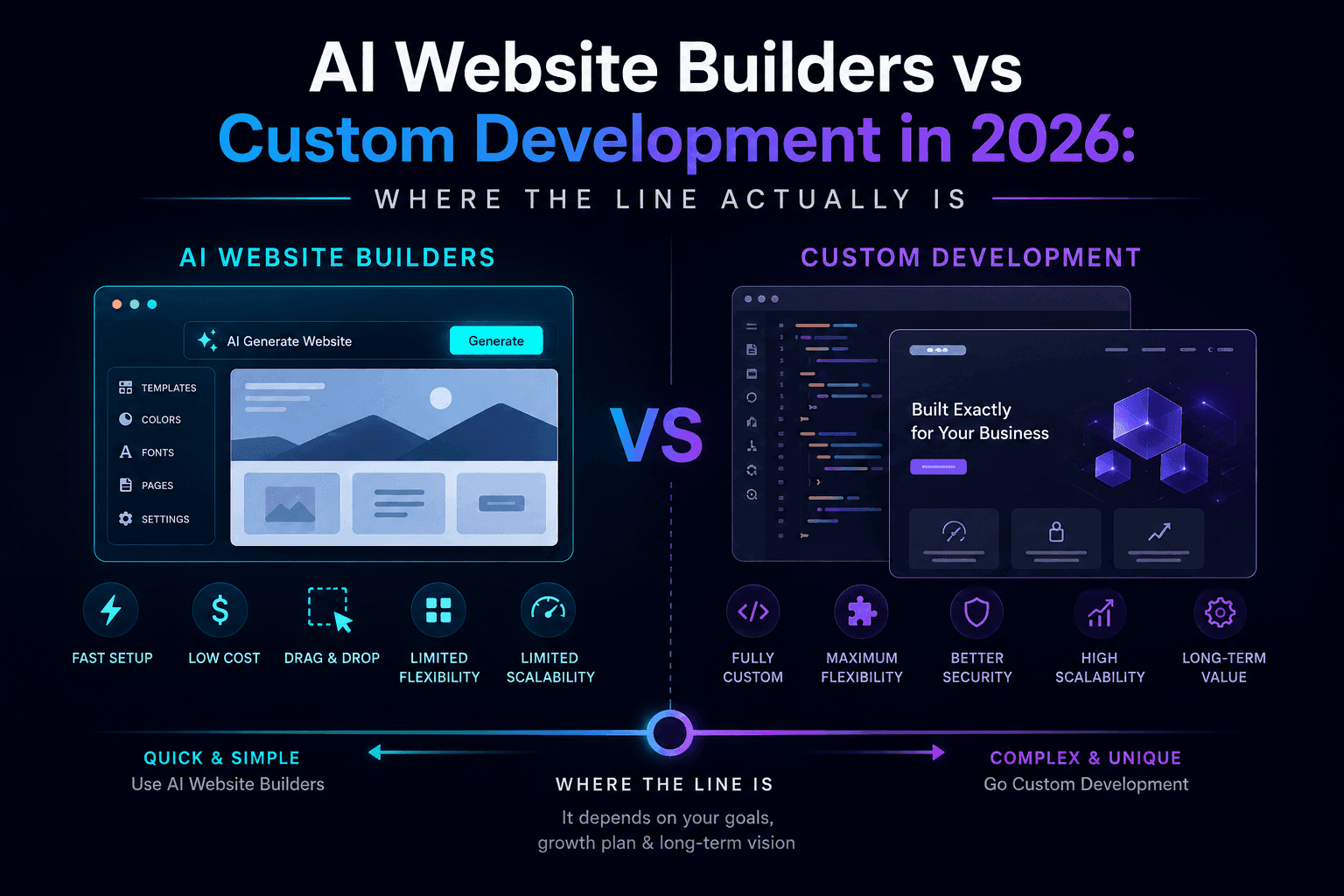
AI Website Builders vs Custom Development in 2026: Where the Line Actually Is
Web Application Development Services: Building Scalable Platforms in 2026
