Should You Build Custom Software or Buy an Existing SaaS Product?
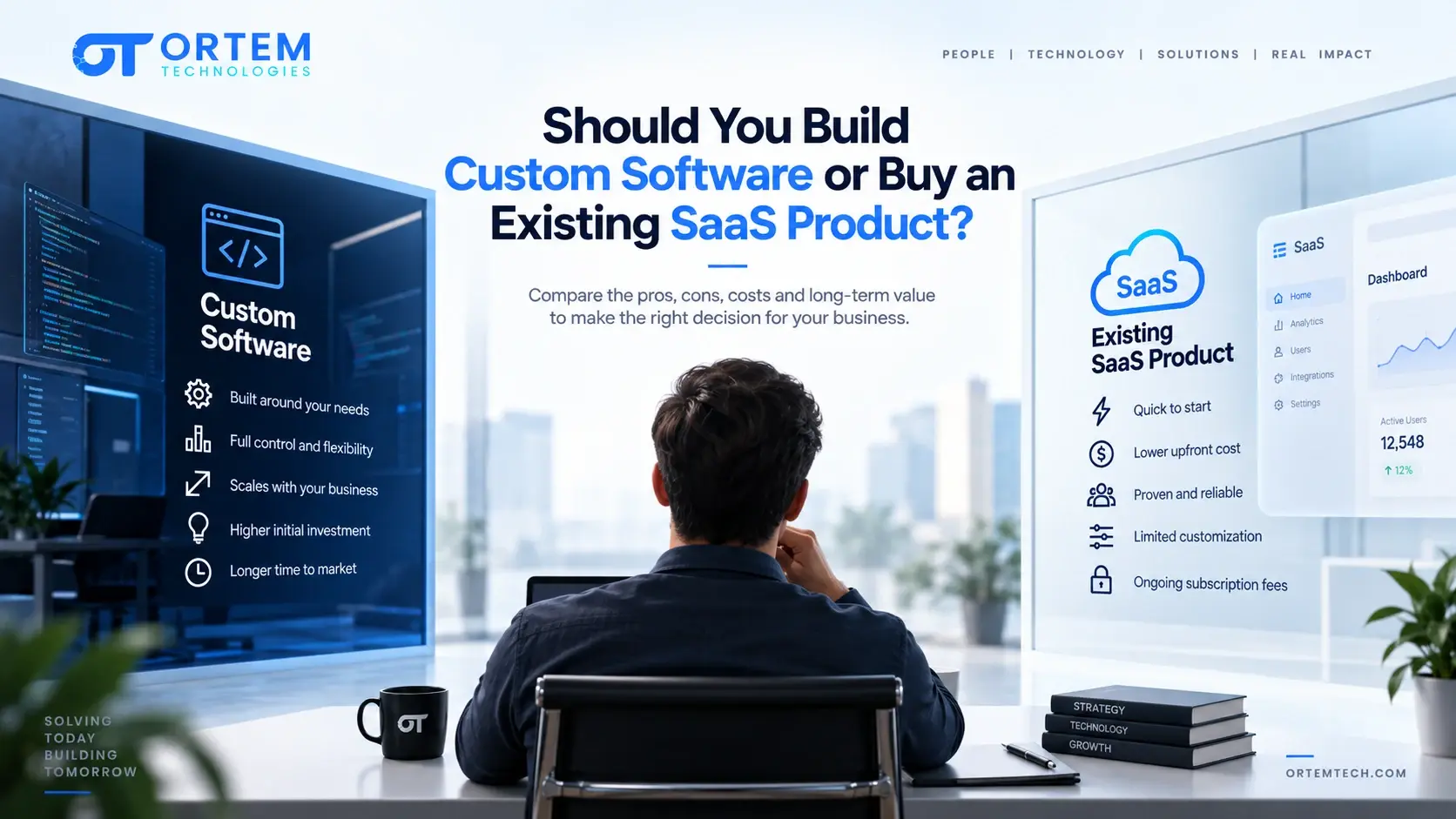
There is no universal answer to build vs buy — it depends on whether the capability is a competitive differentiator or a standardized business function. Buy (or configure) standardized capabilities like payroll, accounting or email; build the workflows that create real business advantage; and for most organizations, the right architecture is a hybrid — buy the commodity layer, build the differentiated layer, and integrate the two. Ortem's weighted decision matrix scores eleven factors (differentiation, functional fit, customization, time-to-value, five-year TCO, integration, data ownership, security, internal capability, vendor risk, scalability) to produce a 100-500 point signal, then applies five override tests — critical functional gaps, strategic differentiation, security/compliance failure, unacceptable five-year TCO, and irreversible lock-in — because a weighted score should trigger investigation, not replace judgment on a genuinely mission-critical requirement.
Commercial Expertise
Need help with Software Development?
Ortem deploys dedicated Custom Software Development squads in 72 hours.
Next Best Reads
Continue your research on Software Development
These links are chosen to move readers from general education into service understanding, proof, and buying-context pages.
Custom Software Development
Build exactly what you need — dashboards, platforms, SaaS, and internal tools with dedicated squads.
Explore software serviceMVP Development
Launch faster with a scoped MVP that proves your concept before full product investment.
See MVP serviceCustom Platform Case Study
Multi-tenant SaaS built with production-grade architecture, compliance, and operational scale.
Read case studyOne of the most important technology decisions a business can make is whether to build software specifically for its needs or buy an existing SaaS product.
The obvious comparison is:
Build = more control, more customization
Buy = faster adoption, less development
But the real decision is more complicated.
A company may have a third option:
Buy the standardized parts, integrate them, and build only the capabilities that genuinely require customization.
This middle ground is increasingly important as cloud platforms, APIs, managed services and AI capabilities make software composition more practical.
The right decision therefore is not:
"Should we build or buy?"
It is:
"Which parts of this capability should we own, which should we purchase, and which should we integrate?"
Quick Answer: Should You Build or Buy Software?
There is no universal answer.
| Situation | Usually Favor |
|---|---|
| Standard business function | Buy SaaS |
| Commodity capability | Buy |
| Core competitive differentiator | Build |
| Unique business workflow | Build or customize |
| Highly regulated proprietary workflow | Often build/customize |
| Need to launch quickly | Buy or blend |
| Limited technical resources | Buy |
| Strong internal engineering capability | Build becomes more viable |
| Existing SaaS covers most requirements | Usually buy/customize |
| Existing products force major workarounds | Consider build |
| Product itself is the business | Strong case for build |
| Unique data/IP creates competitive advantage | Strong case for build |
| AI experimentation with uncertain requirements | Often blend |
| Large legacy environment | Often modernize + blend |
These are decision signals, not rules.
The best choice depends on strategic differentiation, functional fit, economics, risk, integration, ownership and long-term operating requirements.
Build vs Buy Is Not a Binary Decision
The traditional model gives two choices:
Build
Create software specifically for the organization.
Buy
Purchase or subscribe to existing software.
In practice, there are at least four useful approaches:
1. Buy
Use an existing SaaS product largely as provided.
2. Buy and Configure
Use the product's built-in configuration to adapt workflows.
3. Buy and Extend
Use an existing platform while building custom integrations, modules or experiences around it.
4. Build
Create a custom application because the business requirements justify owning the capability.
This creates a continuum:
Buy → Configure → Extend → Build
The correct point on this continuum may differ for every business function.
What Does "Build" Actually Mean?
Building software can take several forms.
Internal development
The company's own engineering team creates the product.
Software development company
An external technology partner designs and builds it.
Dedicated development team
An external team works as an extension of the company's engineering function.
Hybrid
Internal and external teams build the system together.
Therefore, choosing "build" does not necessarily mean hiring and managing an internal engineering department.
What Does "Buy" Actually Mean?
Buying also has several variations.
A company may purchase:
- SaaS
- Commercial off-the-shelf software
- Industry-specific software
- Enterprise platforms
- Low-code/no-code tools
- AI platforms
- Managed services
The cost structure may include:
- Subscription
- Implementation
- Configuration
- Integration
- Data migration
- Support
- Additional user licenses
- Usage charges
- Professional services
This matters because the purchase price is not necessarily the total cost of adoption.
The Most Important Question: Is the Capability a Competitive Differentiator?
This is one of the strongest principles in build-versus-buy decision making.
Ask:
Does this capability meaningfully differentiate the business?
Examples of potentially differentiating capabilities include:
- Proprietary customer workflows
- Unique pricing engines
- Specialized underwriting logic
- Proprietary operational systems
- Unique customer experiences
- Proprietary data processing
- Industry-specific decision systems
- Core AI capabilities based on proprietary data
A business may have little reason to build its own payroll system.
But it may have a strong reason to build software that gives it a unique way to price, serve or process customers.
Build What Differentiates You
A useful strategic principle is:
Build the software that creates meaningful differentiation. Buy the software that provides standardized capability.
This does not mean every competitive process must be custom-built.
It means the organization should understand where software ownership creates business value.
For example, an online retailer might reasonably buy:
- Accounting
- Payroll
- Email marketing
- Employee management
while building:
- Its recommendation engine
- Proprietary merchandising workflow
- Customer experience layer
- Unique fulfillment logic
The goal is not to maximize custom code.
The goal is to maximize business advantage.
1. Functional Fit
Start with the most obvious question:
How closely does the existing SaaS match the actual business requirements?
Create three categories:
Fully supported
The SaaS handles the requirement without modification.
Configurable
The SaaS can handle the requirement using available settings or workflows.
Gap
The SaaS cannot support the requirement without customization, workaround or another product.
A useful evaluation table looks like this:
| Requirement | SaaS Fit | Workaround | Importance |
|---|---|---|---|
| User management | Full | None | High |
| Approval workflow | Configurable | Minor | High |
| Unique pricing engine | Gap | Manual process | Critical |
| Reporting | Partial | External BI | Medium |
| Mobile workflow | Gap | Separate app | High |
A SaaS product that covers 90% of requirements may sound attractive.
But the remaining 10% may contain the most commercially important processes.
2. Customization vs Workarounds
A common mistake is evaluating only whether a SaaS product technically can support a requirement.
The better question is:
What does it cost the business to make it work?
A workaround may require:
- Manual data entry
- Spreadsheets
- Additional software
- Custom integrations
- Duplicate systems
- Employee training
- Complex procedures
Suppose a SaaS CRM cannot support a company's specialized sales approval process.
The organization might create:
CRM → Spreadsheet → Email → Manual approval → Back to CRM
The software subscription may be inexpensive.
The operating process may not be.
3. Total Cost of Ownership
Comparing:
$50,000 custom development
with:
$1,000/month SaaS
is not enough.
You should compare the total cost of ownership (TCO) over a realistic planning period.
For example:
SaaS TCO
Subscription + implementation + integration + migration + customization + support + additional licenses + usage costs + switching costs
Custom TCO
Discovery + development + infrastructure + maintenance + security + support + upgrades + engineering capacity + future development
A simple five-year comparison may therefore be more useful than comparing first-year purchase price.
4. SaaS Can Be More Expensive Than It First Appears
A low monthly subscription can hide additional costs.
Look for:
- Implementation fees
- Premium features
- Additional users
- API access charges
- Storage limits
- Usage-based pricing
- Advanced reporting
- Integration fees
- Professional services
- Data export fees
- Customization charges
Also consider what happens as usage grows.
A SaaS product that is inexpensive at 20 users may have very different economics at 2,000 users.
5. Custom Software Has Costs Beyond Development
Custom development is not:
Build it once → never spend again.
A custom application requires:
- Hosting
- Monitoring
- Security updates
- Bug fixes
- Dependency upgrades
- Infrastructure
- Backups
- Support
- Future development
This is why the comparison should always consider lifecycle ownership, not only initial implementation. It's the same lifecycle argument that applies once software is already live — see how much software maintenance and support actually costs for the breakdown.
6. Time to Value
Buying usually has an advantage when the capability is already mature and close to what the business needs.
A SaaS product may allow an organization to:
- Evaluate
- Configure
- Integrate
- Train users
- Launch
Custom software may require:
- Discovery
- Requirements
- Design
- Architecture
- Development
- Integration
- Testing
- Deployment
- Training
For a sense of how long that custom path actually runs by project type, see how long custom software development takes.
However:
Fast implementation is not necessarily fast value realization.
A SaaS product that requires extensive workarounds may launch quickly but create operating inefficiency for years.
7. Time-to-Value vs Long-Term Fit
Consider two scenarios.
Option A — SaaS
Launches in two months.
But:
- Requires manual workarounds
- Limits the customer experience
- Requires additional tools
- Cannot support a key business workflow
Option B — Custom
Launches in six months.
But:
- Matches the business process
- Automates critical workflows
- Integrates directly with existing systems
- Creates a differentiated customer experience
The first option may have faster initial value.
The second may create greater long-term value.
The decision therefore needs to consider time-to-value and value-after-adoption.
8. Integration Complexity
Buying software does not eliminate engineering work.
It often changes the engineering problem.
Instead of:
Build the application.
the problem becomes:
Integrate the SaaS application into the company's existing technology ecosystem.
This can involve:
- APIs
- Webhooks
- Data synchronization
- Identity
- ETL
- Middleware
- Monitoring
- Error handling
A SaaS product may therefore reduce application development while increasing integration requirements.
9. Data Ownership and Portability
Before buying SaaS, ask:
Can we get our data back?
Determine:
- What data can be exported?
- In what format?
- How frequently?
- Are attachments included?
- Are audit records included?
- Can historical data be exported?
- Does export require additional fees?
- How long does the vendor retain data after termination?
A product can be technically replaceable while still being expensive to leave because of migration complexity.
10. Vendor Lock-In Is Really About Switching Cost
Vendor lock-in is better understood as:
The cost, complexity, time or risk required to leave is high enough to constrain your choices.
SaaS lock-in
You may depend on the vendor's:
- Roadmap
- Pricing
- APIs
- Data model
- Export mechanisms
Custom software lock-in
You may depend on:
- Your development team
- Architecture
- Technology stack
- Undocumented code
- Internal knowledge
Building software does not eliminate lock-in.
It can simply change what you are locked into.
11. Vendor Roadmap vs Your Roadmap
A SaaS company controls its product roadmap.
Your business controls its business roadmap.
Those two roadmaps may eventually diverge.
Ask:
- Does the vendor prioritize the capabilities we need?
- Can pricing change?
- Can they discontinue a feature?
- Can they change APIs?
- Can our security requirements be supported?
- What happens if the vendor is acquired?
For standardized capabilities, accepting the vendor roadmap may be reasonable.
For strategic capabilities, it can become a serious limitation.
12. Security and Compliance
Security should be evaluated in both options.
For SaaS, assess:
- Vendor security controls
- Authentication
- Encryption
- Data residency
- Audit capabilities
- Incident response
- Compliance requirements
- Subprocessors
For custom software, assess:
- Architecture
- Secure development
- Access controls
- Infrastructure
- Dependency management
- Monitoring
- Vulnerability management
The security question should be:
Which option lets us meet our security requirements at an acceptable cost and risk?
13. Scalability
Ask what happens if the business grows.
For SaaS:
- Can user counts increase?
- Can storage increase?
- Can transaction volume increase?
- Can API limits become a problem?
- Does pricing scale predictably?
For custom software:
- Can the architecture scale?
- Can infrastructure scale?
- Is the system designed for future volume?
- Can the team maintain it at larger scale?
A custom system gives more architectural control.
It also gives more architectural responsibility.
14. Internal Capability
Build decisions require an organization capable of owning the resulting software.
Consider access to:
- Product management
- Architecture
- Development
- QA
- DevOps
- Security
- Support
You do not necessarily need all of these internally.
An external development company can provide much of the capability.
But somebody must ultimately own the product.
Build vs buy and delivery readiness are related but different questions. Build vs buy is strategic — where should this capability live. Ortem's OSDPI framework is operational — once you've decided to build, is the project actually ready to execute, covering internal technical capability, integration readiness, operational readiness and long-term ownership as four of its ten scored dimensions. One doesn't replace the other.
15. Maintenance Burden
The decision should include the next three to five years, not only launch.
Ask:
- Who maintains the software?
- Who handles security patches?
- Who upgrades dependencies?
- Who fixes production failures?
- Who maintains integrations?
- Who responds when technology changes?
A business that builds software without planning for maintenance can create an expensive internal product it never intended to operate.
16. Competitive Advantage
Ask:
If our competitor had exactly the same software, would we still have an advantage?
If yes, buying may be sensible.
If no, the software itself may be part of the competitive advantage.
For example:
Standardized
Employee expense management.
Potentially differentiating
A proprietary procurement engine that uniquely predicts demand and optimizes supplier allocation.
The first is often something to buy.
The second may justify custom development.
17. How Important Is User Experience?
If competitive advantage depends on:
- Simplicity
- Speed
- Personalization
- Workflow design
- Mobile experience
- Automation
then SaaS limitations may become commercially important.
A custom frontend integrated with SaaS back-office systems can sometimes provide a middle ground.
18. When You Should Usually Buy SaaS
Buying is often sensible when:
- The capability is standardized.
- The business process is not a differentiator.
- A mature product already exists.
- Time to value is important.
- Internal engineering capacity is limited.
- Security requirements can be met.
- Customization needs are relatively small.
- The vendor roadmap is acceptable.
- Switching costs are manageable.
19. When Custom Software Is Often Justified
Custom development becomes more attractive when:
- The workflow is genuinely unique.
- The software itself is a product.
- The process creates competitive advantage.
- Existing products impose unacceptable compromises.
- Deep integration is required.
- Proprietary data creates value.
- User experience is strategically important.
- Security or compliance requirements cannot be met adequately by available SaaS.
- The business needs control over roadmap and functionality.
20. When "Buy and Extend" Is the Better Answer
Many organizations should not choose pure build or pure buy.
For example:
Buy
Use a CRM.
Build
Create a custom customer portal.
Integrate
Connect the portal to CRM, billing and support systems.
Another example:
Buy
Use a payment provider.
Build
Create the company's custom subscription and pricing engine.
Integrate
Connect billing, customer accounts and analytics.
This can reduce custom development while preserving control over important differentiators.
21. Build vs Buy for AI Applications
AI has made the decision more nuanced.
A business may choose to:
Buy
An existing AI application.
Build
A proprietary AI workflow.
Combine
A SaaS platform + AI API + custom application layer.
Build around existing models
Use commercial or open models while owning the application, data pipeline and workflow.
The key question is:
Where is the proprietary value?
If the value comes from proprietary data, workflows or domain-specific reasoning, custom development may be more attractive.
If the requirement is generic content generation, transcription, summarization or basic assistance, buying an established capability may be more efficient.
22. Actionable Build vs Buy Decision Matrix
A scoring matrix is only useful when it produces a decision.
Use the following four-step process.
Step 1: Score Each Factor
Score each factor from 1 to 5:
| Score | Meaning |
|---|---|
| 1 | Strongly favors Buy |
| 2 | Slightly favors Buy |
| 3 | Neutral / genuinely balanced |
| 4 | Slightly favors Build |
| 5 | Strongly favors Build |
Do not give every factor a 3 just because the answer is uncertain. Use 3 only when the evidence genuinely does not favor either option.
Step 2: Apply the Weight
Use the following starting weights:
| Decision Factor | Weight |
|---|---|
| Competitive differentiation | 20 |
| Functional fit of existing SaaS | 15 |
| Required customization | 10 |
| Time-to-value | 10 |
| Total cost of ownership | 10 |
| Integration requirements | 10 |
| Data ownership / portability | 5 |
| Security / compliance fit | 5 |
| Internal technical capability | 5 |
| Vendor / roadmap risk | 5 |
| Long-term scalability | 5 |
| Total | 100 |
Calculate:
Weighted Points = Score × Weight
Because the score is 1–5 and the weights total 100, the final result will fall between 100 and 500.
Step 3: Interpret the Result
Use these ranges as a decision aid:
| Total Score | Initial Recommendation |
|---|---|
| 100–199 | Strong Buy signal |
| 200–279 | Buy / Configure signal |
| 280–329 | Hybrid / further analysis |
| 330–399 | Build / Extend signal |
| 400–500 | Strong Build signal |
These thresholds are Ortem planning guidance, not industry standards.
The score should trigger investigation, not replace business judgment.
Step 4: Apply the Override Tests
The weighted score should not automatically decide the project.
Before making the final decision, run five override tests.
Override 1 — Critical Functional Gap
If an existing SaaS product cannot support a mission-critical workflow, do not choose it simply because the overall score is favorable.
Ask:
Can the gap be solved through configuration, integration or a reasonable extension?
If not, custom development may be required.
Override 2 — Strategic Differentiation
If the capability is central to the company's competitive advantage, a high "Buy" score should trigger a review.
Ask:
What happens if every major competitor can purchase exactly the same capability?
If that would remove a meaningful advantage, custom ownership deserves greater weight.
Override 3 — Security or Compliance Failure
If a SaaS product cannot meet mandatory security, data residency, compliance or access-control requirements, it should not be selected merely because it is cheaper or faster.
A mandatory requirement is a gate, not just another weighted factor.
Override 4 — Unacceptable Five-Year TCO
A SaaS solution that looks inexpensive initially may become substantially more expensive after:
- User growth
- Usage charges
- Integration costs
- Premium features
- Migration costs
- Required custom services
If its realistic five-year TCO exceeds the custom alternative without providing equivalent strategic value, revisit the decision.
Override 5 — Irreversible Lock-In
If leaving the SaaS would later require a major data migration, business-process redesign or customer disruption, increase the importance of portability and reversibility before committing.
Example: How to Use the Matrix
Imagine a company is deciding whether to buy a CRM or build a custom customer operations platform.
It scores the project as follows:
| Factor | Weight | Score | Weighted Points |
|---|---|---|---|
| Competitive differentiation | 20 | 5 | 100 |
| Functional fit | 15 | 2 | 30 |
| Required customization | 10 | 5 | 50 |
| Time-to-value | 10 | 2 | 20 |
| Total cost of ownership | 10 | 3 | 30 |
| Integration requirements | 10 | 4 | 40 |
| Data ownership | 5 | 4 | 20 |
| Security | 5 | 3 | 15 |
| Internal capability | 5 | 4 | 20 |
| Vendor / roadmap risk | 5 | 4 | 20 |
| Scalability | 5 | 4 | 20 |
| Total | 100 | 365 |
The score of 365 falls into the:
Build / Extend signal
But the company should not automatically build everything.
The next step is to determine what can safely remain commodity.
The resulting architecture might be:
Buy CRM
Build custom customer workflow
Build customer portal
Integrate CRM + billing + support
That may be a better answer than either:
"Buy everything."
or:
"Build everything."
A Faster Decision Version
For smaller organizations, use these five questions before completing the full matrix.
Give each answer 1 point for Buy, 3 for Hybrid, or 5 for Build.
1. Is the capability strategically differentiating?
Buy: No Hybrid: Partly Build: Yes
2. Does an existing SaaS product fit the critical workflows?
Buy: Yes Hybrid: Mostly Build: No
3. Are the required customizations minor?
Buy: Yes Hybrid: Some are significant Build: No
4. Is rapid launch more important than maximum control?
Buy: Strongly yes Hybrid: Balanced Build: Strong control requirement
5. Can the business comfortably own and maintain custom software?
Buy: No Hybrid: Partly Build: Yes
Interpretation:
| Average Score | Direction |
|---|---|
| 1.0–2.0 | Buy |
| 2.1–3.4 | Hybrid |
| 3.5–5.0 | Build |
This is a screening tool.
For high-value or business-critical systems, use the weighted matrix and five override tests.
23. Example: Build vs Buy for a Customer Platform
Imagine a company wants to improve its customer operations.
Option A — Buy CRM
The CRM already provides:
- Customer records
- Sales pipeline
- Tasks
- Standard reporting
- User management
But the company has a unique service workflow involving:
- Customer-specific approvals
- Complex pricing rules
- Specialized service scheduling
- Custom operational dashboards
In this situation, a sensible architecture may be:
Buy CRM + Build custom operations platform + Integrate the two
Trying to force all operations into the CRM may create workarounds.
Building an entire CRM from scratch may waste resources.
The hybrid approach preserves standard functionality while owning the differentiated workflow.
24. Example: When Buying Is Clearly Better
Suppose a company needs basic employee expense management.
Its requirements are:
- Employee submissions
- Approval
- Receipt upload
- Expense categories
- Basic reporting
Several mature SaaS products already provide these capabilities.
Unless there is a unique workflow or strategic reason to own the underlying platform, custom development would likely create unnecessary:
- Development cost
- Maintenance
- Security responsibility
- Infrastructure
- Support requirements
In this case, buying is often more rational.
25. Example: When Custom Development Is Clearly Better
Now consider a business whose core product is a specialized workflow platform.
Its competitive advantage depends on:
- Proprietary decision rules
- Unique customer experience
- Specialized data processing
- Complex automation
- Domain-specific analytics
If available SaaS products force the company to redesign its operating model around generic workflows, the software may become a strategic constraint.
That is a stronger case for building. This is also where a SaaS MVP built from scratch, rather than layered onto an existing platform, tends to make more sense.
26. The 3-Year and 5-Year Question
A build-versus-buy decision should not stop at year one.
Ask:
Where will we be after three years?
Then:
Where will we be after five years?
Consider:
SaaS
- Subscription growth
- User growth
- Integration costs
- Customization
- Vendor price changes
- Migration cost
Custom
- Development
- Maintenance
- Infrastructure
- Security
- Team costs
- Upgrades
- New features
A short-term winner can become a long-term loser.
27. What About the Cost of Being Wrong?
This is an important but often overlooked factor.
Suppose the business chooses SaaS but discovers two years later that the product cannot support a critical workflow.
The organization may then face:
- Reimplementation
- Data migration
- Integration replacement
- User retraining
- Operational disruption
Suppose it chooses custom software and discovers that users do not actually need the differentiated workflow.
It may have spent substantial resources building something that provided little advantage.
The cost of making the wrong decision should therefore be part of the analysis.
28. Build vs Buy Evaluation Checklist
Before deciding, answer:
Strategy
- Is this capability a competitive differentiator?
- Is the software part of our core business?
- Does proprietary data create an advantage?
Functional fit
- Does an existing SaaS product cover the critical workflows?
- Which requirements are gaps?
- Which gaps require workarounds?
Economics
- Have we calculated five-year TCO?
- Have we included implementation and integration?
- Have we included maintenance and support?
- Have we included migration or exit costs?
Technology
- What integrations are required?
- What scalability is needed?
- What security and compliance requirements exist?
- What technical capability is available?
Ownership
- Who owns the data?
- Can the data be exported?
- What happens when the contract ends?
- How difficult would migration be?
Future
- Does the vendor roadmap align with ours?
- Will requirements change significantly?
- Could the software become a differentiator?
- What happens at year three and year five?
Common Build vs Buy Mistakes
1. Comparing Purchase Price With Development Price
Compare total lifecycle cost instead.
2. Assuming "Custom" Means Better
Customization is valuable only when the business benefits from it.
3. Assuming SaaS Means No Development
Integration and configuration can require substantial engineering.
4. Ignoring Workarounds
A cheap SaaS subscription may become expensive if employees have to work around its limitations.
5. Ignoring Maintenance
Custom software carries ongoing ownership responsibility.
6. Ignoring Exit Costs
The easiest system to buy may not be the easiest system to leave.
7. Building Commodity Functionality
Creating your own generic CRM, HR system or accounting platform rarely creates advantage unless the capability itself is strategic.
8. Buying a Strategic Capability
If the software itself differentiates your business, excessive dependence on a vendor can constrain your roadmap.
9. Treating Build vs Buy as Permanent
Technology and business needs change.
The decision should be revisited when:
- Scale changes
- Requirements change
- Vendor economics change
- Strategic priorities change
- New technology becomes available
Ortem Build vs Buy Decision Framework
At Ortem Technologies, we recommend evaluating five strategic layers before deciding.
1. Differentiation
Does this capability make the business meaningfully different?
If yes, custom development becomes more attractive.
2. Fit
Does existing software actually support the critical workflow?
Do not evaluate only feature checklists. Evaluate real business processes.
3. Economics
What is the five-year cost of owning each option?
Include implementation, integration, maintenance, infrastructure and exit costs.
4. Control
How much control does the business need over data, roadmap, architecture and user experience?
5. Reversibility
How difficult will it be to change the decision later?
A reversible decision can tolerate more experimentation.
An expensive, difficult-to-reverse architecture decision deserves substantially more analysis.
The Most Useful Question Is Not "Build or Buy?"
The strongest decision question is:
"What is the smallest amount of software we need to own in order to create the business advantage we want?"
That question often produces a better architecture.
It may lead to:
Buy the CRM.
Buy payments.
Buy email.
Buy cloud infrastructure.
Buy authentication.
Build the proprietary workflow.
Build the customer experience.
Integrate everything.
That is often more efficient than either extreme.
Final Takeaway
Building custom software is not automatically better.
Buying SaaS is not automatically cheaper.
The correct decision depends on:
Strategic differentiation
Functional fit
Customization
Time-to-value
Total cost of ownership
Integration
Security
Data ownership
Vendor dependency
Internal capability
Long-term roadmap
The strongest organizations do not ask:
"Should we build everything or buy everything?"
They ask:
"Which capabilities should we own, which should we consume, and which should we integrate?"
That is the modern build-versus-buy decision.
Need Help Deciding What You Should Build?
Before investing in custom software—or committing your business to another SaaS platform—evaluate the decision against business differentiation, functional fit, integration complexity, total cost of ownership, security, data portability and long-term control.
Ortem Technologies can help you assess your requirements and determine whether your project should be:
Bought
Configured
Extended
Custom-built
Or delivered as a combination of all four.
For businesses considering a new digital platform, replacing an existing system or deciding whether a SaaS product is sufficient, we can help turn the build-versus-buy question into a structured technology decision.
Talk to Ortem Technologies before you commit to the wrong software strategy.
Discuss Your Build vs Buy Decision →
Planning note: The scoring matrix and decision framework in this article are Ortem Technologies' planning tools, not universal industry standards. Actual decisions should be evaluated using the organization's requirements, costs, risks, technical environment and strategic priorities.
About Ortem Technologies
Ortem Technologies is a premier custom software, mobile app, and AI development company. We serve enterprise and startup clients across the USA, UK, Australia, Canada, and the Middle East. Our cross-industry expertise spans fintech, healthcare, and logistics, enabling us to deliver scalable, secure, and innovative digital solutions worldwide.
Get the Ortem Tech Digest
Monthly insights on AI, mobile, and software strategy - straight to your inbox. No spam, ever.
Sources & References
- 1.Build vs. Buy: Making the Right Decision for Enterprise Software - Gartner
- 2.Total Cost of Ownership - Project Management Institute
Frequently Asked Questions
- Start with one question: does this capability meaningfully differentiate the business? Standardized functions (payroll, accounting, email marketing) usually favor buying; workflows that create real competitive advantage — proprietary pricing logic, unique customer experience, specialized data processing — usually justify owning the software. Most organizations land on a hybrid: buy the commodity layer, build the differentiated layer, and integrate the two rather than choosing one extreme.
- Because neither number is the total cost. SaaS total cost of ownership includes implementation, integration, migration, additional user licenses, usage-based charges and the operational cost of any workarounds a functional gap forces onto staff. Custom software total cost of ownership includes hosting, security patching, dependency upgrades, monitoring and ongoing engineering capacity — a system is never "built once, done forever." A realistic five-year TCO comparison, not first-year purchase price, is what should drive the decision.
- Lock-in is the cost, complexity, time or risk required to leave — not a binary you avoid by building instead of buying. SaaS lock-in ties you to the vendor's roadmap, pricing, APIs and data export mechanisms. Custom software lock-in ties you to your own development team, architecture, technology stack and undocumented institutional knowledge. Building doesn't eliminate lock-in; it changes what you are locked into.
- Five situations should override a weighted score: a SaaS product cannot support a mission-critical workflow even after configuration; the capability is central to competitive differentiation; a SaaS option fails a mandatory security, compliance or data-residency requirement; realistic five-year TCO for the cheaper-looking option is actually higher; or leaving the chosen option later would require a disruptive migration or business-process redesign. These are gates, not just additional weighted factors.
- The same differentiation question applies, with one more layer: where is the proprietary value? If it comes from proprietary data, domain-specific workflows or specialized reasoning, owning the application layer around a commercial or open model is usually more defensible. If the requirement is generic — summarization, transcription, basic content generation — buying an established AI capability is usually more efficient than building a custom pipeline for it.
Stay Ahead
Get engineering insights in your inbox
Practical guides on software development, AI, and cloud. No fluff — published when it's worth your time.
Ready to Start Your Project?
Let Ortem Technologies help you build innovative software solutions for your business.
You Might Also Like
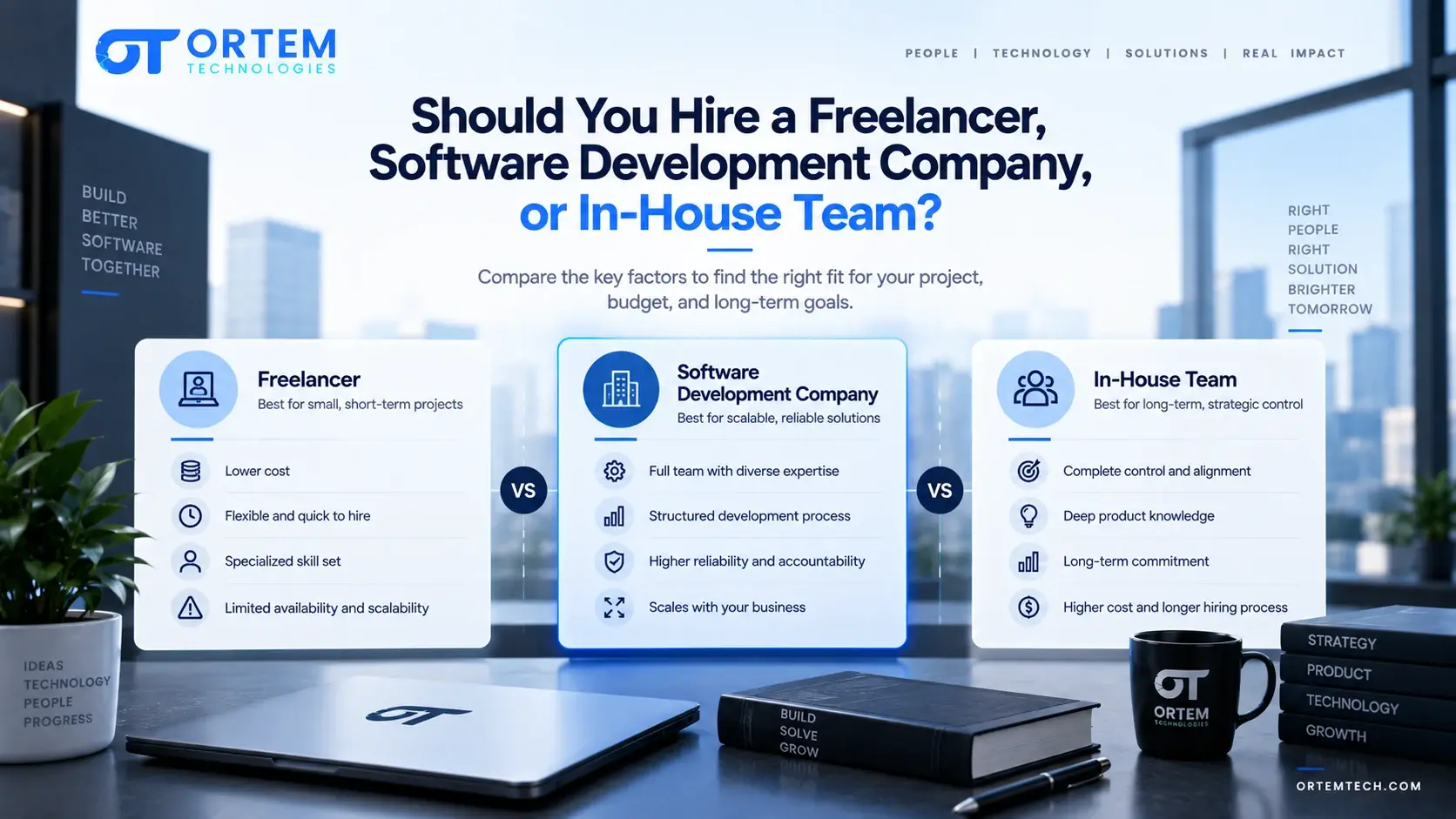
Should You Hire a Freelancer, Software Development Company, or In-House Team?
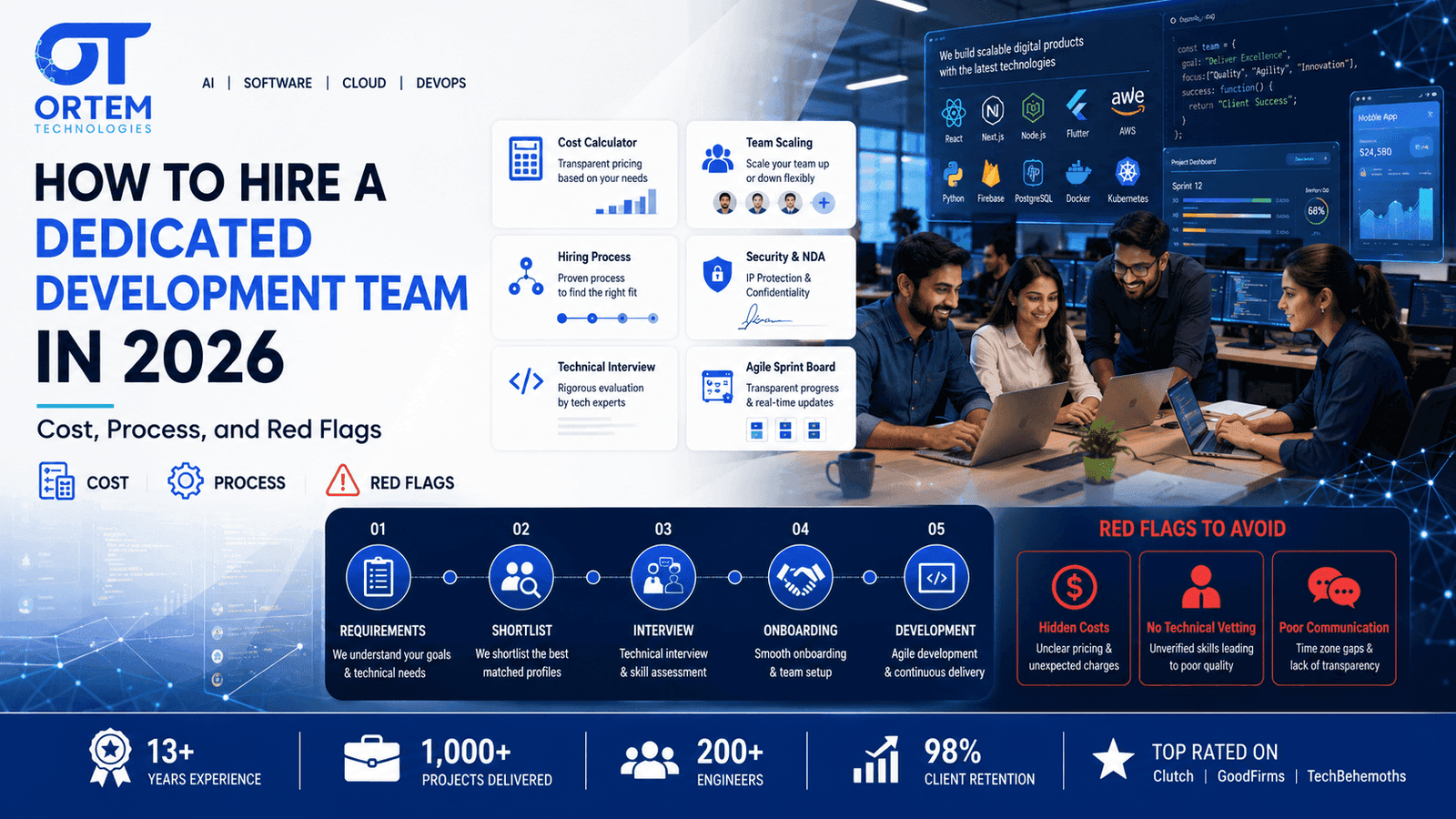
How to Hire a Dedicated Development Team in 2026: Cost, Process, and Red Flags